
VIDEO CALL REQUEST

Choose a Time to Talk

Select an available 45-minute window, then tell us how to reach you. We will confirm the appointment and send the Google Meet details after reviewing the request.

45-minute video call. Times shown are Eastern. At least one day’s notice is required. Faded blocks are unavailable.

START A CONVERSATION

Tell Us What the Business Needs

Share the same project details requested on our homepage in two short steps. We will review the information and respond using the communication method you select.

ABOUT 2 MINUTESTwo focused steps
NO OBLIGATIONA practical first conversation
PERSONALIZED RESPONSEBased on the business and its goals
QUOTE & PROJECT DETAILS

Request a Website & Marketing Proposal

Tell us what the business needs, what is changing, and which services you are considering. We will review the details before recommending the clearest practical next step.

FOUR FOCUSED STEPSAbout 3 minutes
NO OBLIGATIONClear guidance without pressure
PERSONALIZED REVIEWBased on the business and its goals
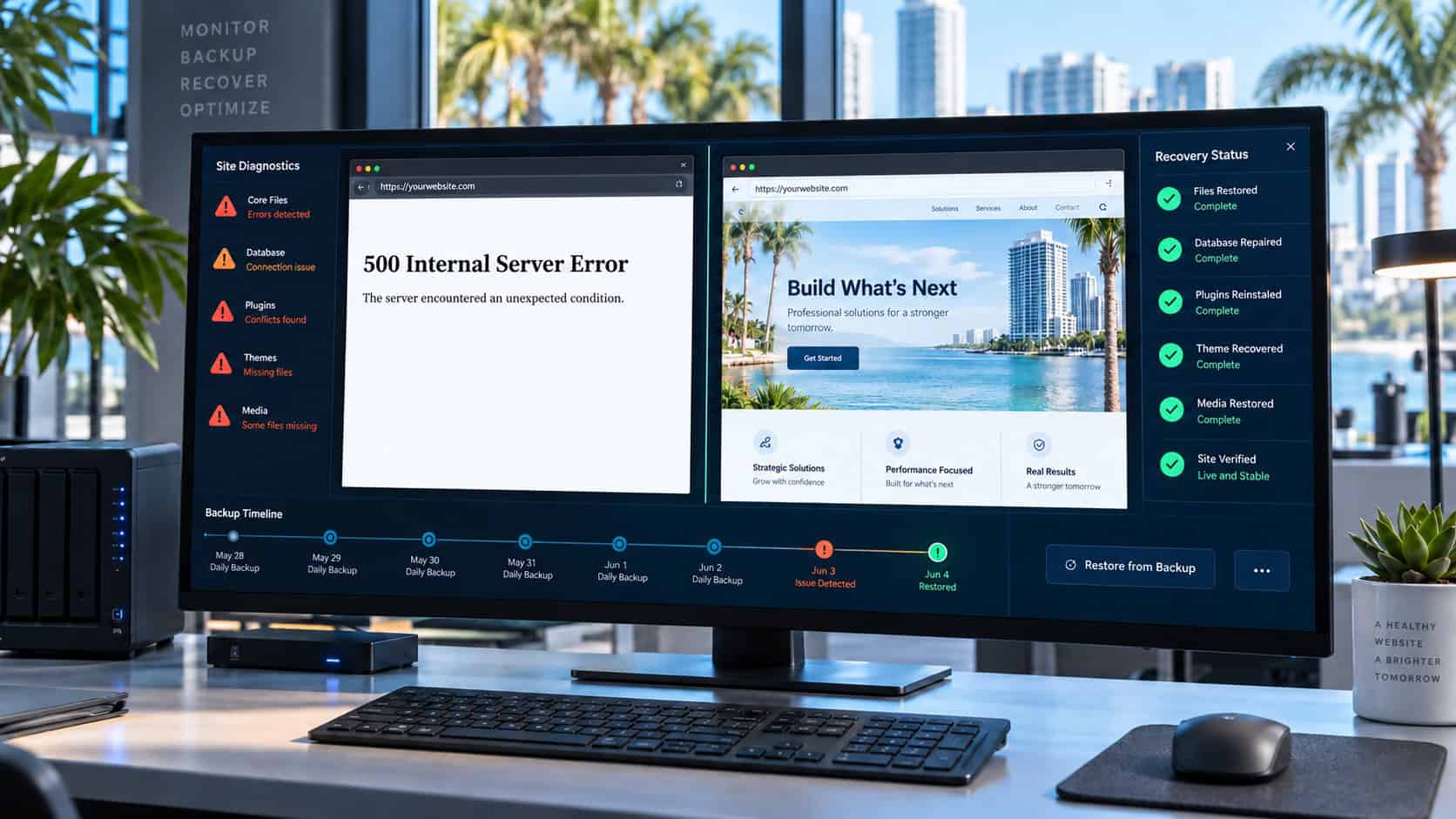
Website diagnostic screen showing a factual 500 Internal Server Error beside a restored site

Home   /   Website Rescue & Recovery Services

WORDPRESS DIAGNOSIS, RESCUE & RECOVERY

Website Rescue &
Recovery Services

We diagnose, stabilize, repair, restore, and rebuild WordPress websites affected by failed updates, damaged layouts, missing access, hosting problems, abandoned projects, or complete website loss.
WORDPRESS WEBSITES ONLY

A Broken WordPress Website Needs Diagnosis Before Another Fix Is Applied

Our rescue and recovery work is limited to WordPress websites because responsible diagnosis depends on knowing the platform, database, files, theme, plugins, hosting conditions, and recovery options well enough to understand what a change may affect.

We do not repair Drupal, Wix, Squarespace, GoDaddy Website Builder, Webflow, or other non-WordPress systems. When one of those websites fails or can no longer support the business, we can evaluate the available content and recommend a complete rebuild on WordPress so the new website can be monitored, maintained, and recovered more responsibly going forward.

WORDPRESS ONLY
DIAGNOSE THE CAUSE
REPAIR OR REBUILD
WORDPRESS PROBLEMS WE INVESTIGATE

The Same Symptom Can Have More Than One Cause

A blank screen, 500 error, broken page, or failed form does not identify the cause by itself. Access and evidence determine what can be diagnosed and recovered.

500 Errors & Failed Updates

Server errors after an update may involve PHP compatibility, exhausted resources, corrupted files, plugin conflicts, or hosting configuration.

Broken Elementor Layouts

Missing styling, collapsed columns, incorrect responsive behavior, or damaged templates are traced to generated files, cache, theme, plugin, or content conditions.

Abandoned Rebuilds

Incomplete staging sites and half-finished provider handoffs are reviewed to determine what is usable, what is missing, and whether completion is realistic.

Lost Access or Ownership

Domains, hosting, administrator accounts, licenses, and third-party tools are mapped so the business knows which control is missing and what can be recovered.

Plugin & Theme Conflicts

Compatibility problems are isolated carefully rather than disabling components on the live site without understanding what depends on them.

Missing or Unreliable Backups

Available backups are checked for date, completeness, database content, uploads, and restoration viability before they are treated as a recovery solution.

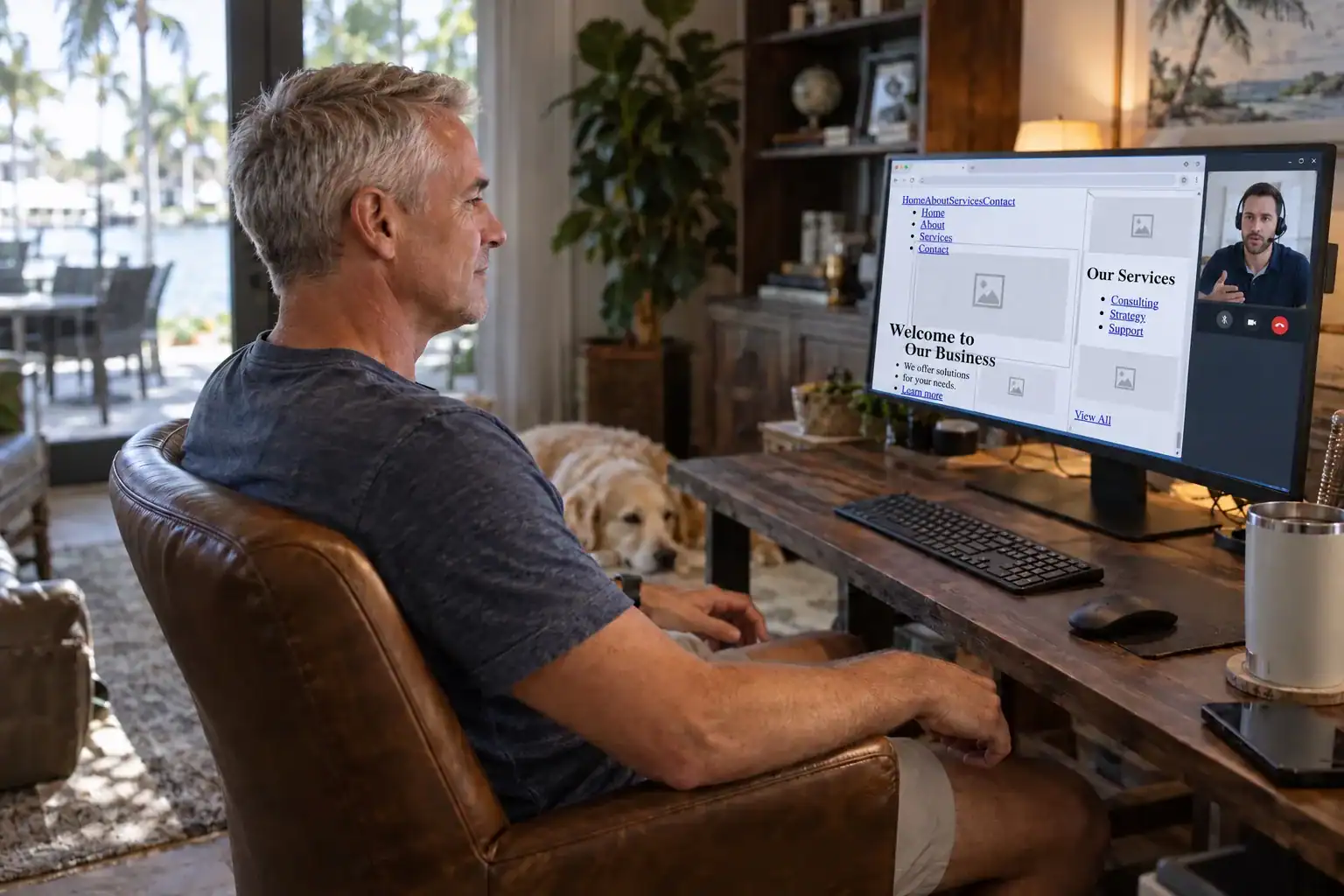
Business owner reviewing a visibly broken website with a recovery specialist
A FACTUAL FAILURE STATE HELPS DEFINE THE RESPONSE

A 500 Error and a Broken Layout Are Different Problems

An HTTP 500 Internal Server Error means the server encountered a condition that prevented it from completing the request. The message is intentionally broad; server logs, recent changes, configuration, resource limits, and application behavior provide the evidence needed to narrow the cause.

A site with unstyled text, missing images, overlapping elements, or collapsed columns is still reaching the browser but failing to load or apply parts of the page correctly. Generated CSS, cache, file paths, theme output, plugin conflicts, or incomplete migration data may be involved.

We do not treat either screen as proof of a single cause. Diagnosis comes before repair.

WHEN THE ORIGINAL WORDPRESS WEBSITE IS GONE

Archived Pages Can Help Rebuild What the Hosting Account Lost

A server failure, terminated hosting account, missed payment, expired account, neglected renewal, or inaccessible provider can sometimes leave no working website and no usable backup. In that situation, recovery may no longer mean restoring the original WordPress installation.

We first confirm what the host, domain account, local files, former provider, and available backups can supply. If the original database and files are gone, archived copies from the Internet Archive’s Wayback Machine and other available records may preserve portions of the public pages. Those records can help recover wording, page names, URLs, and visual references, but they do not recreate the original WordPress database, forms, private material, plugins, or administrative settings.

When enough reliable material exists, we can use it as evidence for a new WordPress build. The result is a reconstruction from the best available sources—not a claim that the destroyed website was restored intact.

Confirm the Loss

We verify whether the hosting provider, former developer, local devices, domain account, or external backup service still holds a usable copy before declaring the original website unrecoverable.

Review Archived Pages

Public web archives may preserve individual pages, text, images, and URL patterns. We document what is available and identify gaps instead of treating an archive snapshot as a complete backup.

Rebuild on WordPress

Recoverable material is checked for accuracy, reorganized where necessary, and rebuilt in a new WordPress installation with current ownership, hosting, backup, and maintenance controls.

WEBSITE RECOVERY PROCESS

WordPress Recovery Begins With a Controlled Review of the Failure

Urgency matters, but uncontrolled changes can destroy the evidence or last usable copy needed for recovery.

01

Incident & Access Intake

We document what failed, when it changed, what was attempted, who controls the accounts, and which business functions are affected.

02

Preservation Backup

When access allows, current files, database content, logs, and available backups are preserved before additional repair attempts.

03

Diagnostic Review

Server errors, WordPress conditions, theme and plugin conflicts, generated files, access, and recent changes are investigated in context.

04

Risk & Recovery Decision

We explain what appears recoverable, what remains uncertain, and whether repair, restore, migration, or rebuild is the safer path.

05

Repair, Restore, or Rebuild

Approved work is performed in the most controlled environment available, with high-risk changes isolated from the public site where possible.

06

Verification & Handoff

Pages, forms, links, access, responsive behavior, and the recovered functions are checked, and remaining risks are documented clearly.

REPAIR, RESTORE, OR REBUILD

A WordPress Website May Need Repair, Restoration, or a Clean Rebuild

The best outcome depends on the quality of the source files, backups, access, and underlying build—not only on how quickly one screen can be made visible again.

Focused Repair

Appropriate when the cause is isolated, the current website is otherwise sound, and the repair does not require layering more risk onto a weak foundation.

Backup Restoration

Appropriate when a verified complete backup predates the failure and restoring it will not reintroduce the same unresolved cause.

Controlled Rebuild

Appropriate when the source is incomplete, repeatedly unstable, abandoned, or too structurally compromised for another temporary repair.

GENUINE CLIENT REVIEWS

What Clients Say About the Website Work

These Google reviews describe clients’ experiences with our website work, communication, responsiveness, and business understanding. Every review appears exactly as the client wrote it.

“SoFloWeb is the best! She always available to make sure everything is running smooth and optimal. Always answers and quick to respond! Thank you!”

Jarrod Wells

Feet Wet Adventures

“SoFloWeb recently helped me organize my website. There were prompt, professional, and easy to work with. I am beyond happy with the results!”

Kelsey Kiel

Kiel Tree Service

“Best experience I’ve had with a SEO company and prompt and reliant! Highly recommend and a great price also!”

George Gardner

Gardner Auto Parts

“We had been searching for a website developer for quite some time and could not be happier. They explained every aspect of the process, which is very much appreciated since we aren’t very tech savvy. The thing we love most is that they are local, there is no outsourcing, and they always respond in a timely manner. Our business has increased since we hired them.”

Mike Crespo

Native Towing
WEBSITE RESCUE & RECOVERY SERVICES QUESTIONS

Website Rescue & Recovery FAQ

Straight answers about scope, risks, responsibilities, access, timing, and the decisions that shape this specific service.

CLEAR ANSWERS BEFORE WORK BEGINS

The right recommendation depends on the actual website, available access, business requirements, and the condition of the material involved.

QUESTIONS BUSINESS OWNERS ASK

No. Our repair, diagnosis, restoration, and recovery work is limited to WordPress websites. If a Drupal, Wix, Squarespace, GoDaddy Website Builder, Webflow, or other non-WordPress website fails, we may recommend rebuilding the available content and required functionality on WordPress instead of attempting a platform repair we do not provide.

Yes, in many cases. We review generated files, cache, template conditions, theme and plugin relationships, responsive settings, and recent changes. The exact repair depends on whether the problem is isolated or part of a larger unstable build.

Not until the backup date, completeness, and likely cause are understood. A recent backup may already contain the problem, and an incomplete restore can overwrite evidence or newer business information. We verify what is available first.

Sometimes. We review the existing work, access, licensing, source material, page condition, and remaining scope before accepting it. If continuing the abandoned build would be riskier than rebuilding cleanly, we will say so.

We identify which accounts and legal ownership records exist, then explain the practical recovery options. Registrars and hosting companies control their own verification processes, so recovery cannot be guaranteed when credentials or ownership evidence are missing.

Sometimes. We check hosting records, former providers, local files, domain access, backup services, and public archives such as the Wayback Machine. Archived pages may preserve useful text, images, page names, and URLs, but they do not replace the lost database, forms, plugins, private material, or administrative settings. Any resulting website is a new WordPress reconstruction based on the reliable material that can still be recovered.

No. Missing backups, corrupted databases, deleted source material, inaccessible accounts, platform restrictions, or severe compromise can limit recovery. We explain what can be verified and do not promise restoration before examining the evidence.

Initial timing depends on availability, access, hosting response, business impact, and the condition of the site. The first phase focuses on preserving what exists and identifying the cause before making changes that could make recovery harder.

WEBSITE RESCUE & RECOVERY

Is the Website Broken, Unstable, or Abandoned?

Tell us what changed, what is failing, and which accounts the business can access. We will begin by protecting the available evidence and defining the safest next step.