VIDEO CALL REQUEST

Choose a Time to Talk

Select an available 45-minute window, then tell us how to reach you. We will confirm the appointment and send the Google Meet details after reviewing the request.

45-minute video call. Times shown are Eastern. At least one day’s notice is required. Faded blocks are unavailable.

START A CONVERSATION

Tell Us What the Business Needs

Share the same project details requested on our homepage in two short steps. We will review the information and respond using the communication method you select.

ABOUT 2 MINUTESTwo focused steps
NO OBLIGATIONA practical first conversation
PERSONALIZED RESPONSEBased on the business and its goals
QUOTE & PROJECT DETAILS

Request a Website & Marketing Proposal

Tell us what the business needs, what is changing, and which services you are considering. We will review the details before recommending the clearest practical next step.

FOUR FOCUSED STEPSAbout 3 minutes
NO OBLIGATIONClear guidance without pressure
PERSONALIZED REVIEWBased on the business and its goals
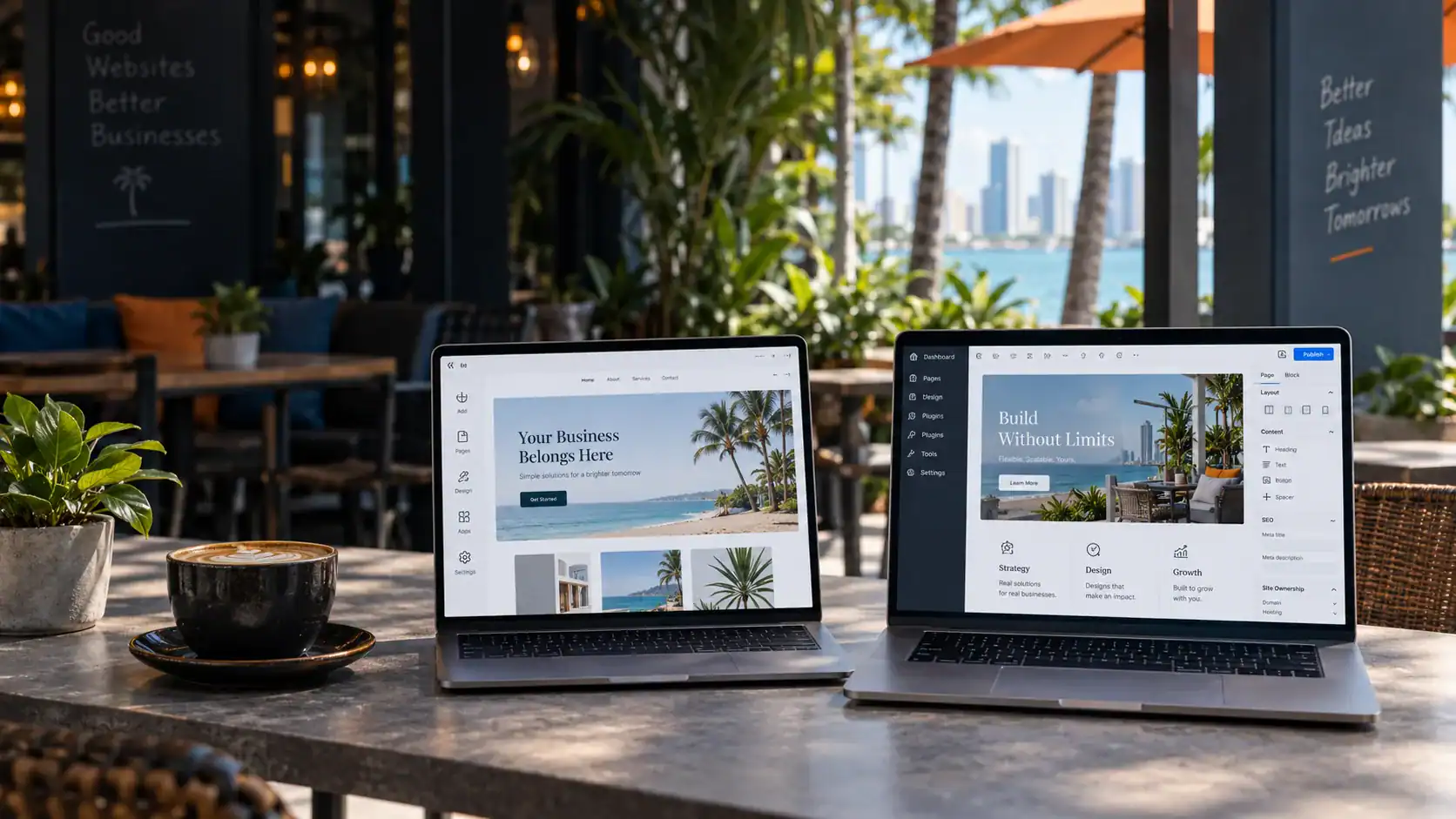
Wix-style template builder and WordPress website workflow compared for a small business

Home   /   Digital Trends   /   Wix vs. WordPress

WEBSITE PLATFORM COMPARISON

Wix vs. WordPress for
Small Business Websites

Wix can work as an online business card. WordPress usually offers stronger control for a growing company that depends on search visibility, original content, qualified leads, and room to change.

Written and technically reviewed by Maarit Durity
Published Jan. 9, 2026

THE SHORT ANSWER

Is Wix or WordPress better for a small business?

Wix can suit a simple DIY website that prioritizes convenience and managed hosting. Self-hosted WordPress is the stronger choice for a growing, marketing-focused business that needs customization, technical control and the ability to change hosts. For businesses that rely on organic and AI search visibility, SoFloWeb recommends a professionally built WordPress website.

I often tell clients that Wix can work as what I call an online business card: a basic presence that appears when someone searches for the company by name. That is different from building a website intended to rank against competitors that are investing in professional strategy, content, development and ongoing search optimization.

The platform name alone does not determine whether a website will be fast, visible in search or successful. The quality of the strategy, content, design, development and ongoing maintenance matters just as much. The better question is not “Which platform is best?” It is “Which platform best supports this business for the next several years?”

A simple decision rule

Written answers make competing proposals easier to compare and expose exclusions that may affect cost, control, or continuity later. A confident promise is not a substitute for a defined deliverable, named owner, and practical handoff path. A simple decision rule should be documented clearly enough that another qualified person can understand the responsibility without relying on a sales conversation.

Review the following factors:

  • Choose Wix when the goal is an online business card, the built-in tools meet foreseeable needs and reducing technical maintenance is the priority.
  • Choose self-hosted WordPress when the website is an important marketing or revenue asset and the business values customization, portability and technical control.
  • Pause before choosing either when the requirements, account ownership, ongoing responsibilities or full cost have not been documented.

A perspective shaped by more than 25 years of change

I have worked in websites and digital marketing for more than 25 years. During that time, I have watched websites move from simple online brochures to systems that generate leads, process sales, schedule appointments, support customers and shape how a company appears in both traditional and AI-assisted search.

I have also watched platforms come and go, search engines become more sophisticated and business owners discover that the easiest way to launch a website is not always the easiest way to grow one.

That does not make every do-it-yourself website builder a bad product. It does mean that a business should understand the tradeoffs before choosing a platform. A website may be inexpensive to launch but expensive to rebuild. It may be easy to edit but difficult to move. It may look polished on day one without giving the business enough control when its marketing needs become more complex.

At SoFloWeb, we build custom WordPress websites because the platform fits the needs of the small and midsize businesses we serve. This article explains that preference without pretending Wix has no valid use cases.

It is also a preference shaped by results. Every client website we have rebuilt from Wix to WordPress has gone on to outperform its previous Wix version in organic search and in the AI-assisted searches we monitor. Those projects did not improve because we pressed a “WordPress” button. We rebuilt the strategy, structure, content, code and user experience—and WordPress gave us the control to do that work properly.

Wix and WordPress are different kinds of products

Wix is a fully hosted website builder. The editor, hosting, security infrastructure and many business tools are provided within one managed ecosystem. That can reduce the number of technical decisions a business owner has to make.

WordPress is open-source content management system. In the context of this comparison, “WordPress” means a self-hosted WordPress website, not a limited hosted plan. The business selects a host and can use custom themes, plugins, code and integrations. That flexibility also creates responsibility: someone must manage updates, backups, security, performance and compatibility.

Neither model is automatically right for every business. They solve different problems.

Business owner comparing website platform options at home

PLATFORM DECISION

The right platform is the one that supports the website’s real job—not simply the one that is easiest to start.

Wix vs. WordPress at a glance

ConsiderationWixSelf-hosted WordPress
Initial setupGenerally faster for a basic DIY siteUsually requires more planning and configuration
HostingIncluded and managed by WixChosen separately; quality varies by host
platform maintenanceMostly handled by the platformSite owner or provider manages core, theme and plugin updates
Design flexibilityStrong visual tools within the Wix ecosystemBroad flexibility through custom themes, blocks and code
Technical controlUseful SEO controls, with platform-level limitsExtensive access to code, hosting and technical configuration
PortabilityContent belongs to the customer, but the working Wix site must remain on Wix infrastructureContent can be exported; with proper access, files and database can generally be migrated to another host
Template changesA different template requires a new site, although some content and design elements can be reusedThemes can be changed, but a redesign may still require development and testing
Custom functionalityAvailable through Wix features, apps and development toolsLarge plugin ecosystem plus custom development options
Ongoing responsibilityLower day-to-day technical burdenMore control, with more maintenance responsibility
Best fitSimple sites that value convenience and a managed ecosystemMarketing-focused or growing sites that value control and extensibility

This table compares the operating models, not the quality of every site built on them. A skilled team can produce a strong website on either platform, and a careless implementation can underperform on either one.

Choose the operating model—not the easiest advertisement.
PURPOSEOnline presence or active lead generation?

Define what the website must accomplish before comparing platforms.

CONTROLBuilt-in convenience or deeper customization?

Match control to the content, search, integration, and performance work required.

OWNERSHIPWhat can move if the relationship changes?

Separate ownership of content, domain, accounts, files, database, and licenses.

GROWTHWhat will the business need in three to five years?

Consider the likely cost and disruption of features, redesigns, and migration.

What is the biggest difference between Wix and WordPress?

The biggest difference is the balance between convenience and control. Wix bundles the editor, hosting and platform maintenance inside a proprietary managed service. Self-hosted WordPress lets the business choose its host and modify or migrate the site more freely, but someone must take responsibility for updates, security, backups and compatibility.

Can a Wix website rank on Google?

Yes. Wix has modern SEO capabilities, including editable metadata, redirects, customizable URL structures for certain content types and structured data controls. It is inaccurate to say that a Wix website cannot rank simply because it was built on Wix. Wix documents many of these controls in its SEO settings guide.

It is equally inaccurate to promise that WordPress will rank merely because it is WordPress.

Google emphasizes helpful, reliable content, crawlability and a good experience for visitors. Its Search Essentials focus on people-first content, descriptive language, crawlable links and sound technical practices—not a preferred content management system.

The practical difference is control. A self-hosted WordPress site can give an experienced team more options to modify templates, server settings, code output, caching, schema, internal linking systems and other technical elements. Whether that additional control has value depends on what the business needs and whether someone capable is using it well.

What has SoFloWeb seen after rebuilding Wix websites?

In our own client work, every Wix website we have rebuilt on WordPress has performed better than the Wix site it replaced in organic and AI-assisted search visibility. In several cases, the improvement became apparent soon after the new site was crawled and established in search.

That is a statement about our documented professional experience, not a claim that every WordPress website will outrank every Wix website. A platform migration can coincide with better content, cleaner information architecture, improved internal linking, stronger location and service pages, better technical implementation, faster templates and a more focused conversion path. Those improvements—not the WordPress name by itself—create the result.

Even with that qualification, my conclusion is firm. If I were given the same business, content and competitive market, I would not expect to make a Wix website perform as well as the WordPress website our team could build. Wix has improved its SEO tools, but it still asks us to work inside a managed, proprietary system. WordPress gives our team greater control over the full website, and that control matters when organic and AI search visibility are central business goals.

This is why a checklist of available SEO features can be misleading. Two platforms may both offer metadata, redirects and structured data while giving an experienced developer very different levels of control over templates, rendering, hosting, performance, automation and custom functionality.

The platform is only one part of SEO

A poorly planned WordPress site can underperform. A thoughtfully built Wix site can perform well. The decision becomes more important when the business needs granular control, custom workflows, extensive content architecture or the freedom to change providers.

A local business website also needs:

  • Useful service and location content based on real customer needs
  • Clear navigation and internal links
  • Accurate business information
  • A well-maintained Google Business Profile when applicable
  • Original images, case studies and other evidence of real experience
  • Proper titles, headings, metadata and structured data where appropriate
  • Crawlable pages without accidental indexing barriers
  • A strong mobile experience
  • Measurement through tools such as Google Search Console and analytics

Does Wix automatically mean a slow website?

No platform should be declared fast or slow without testing the actual website.

Page weight, image sizes, video, fonts, scripts, third-party apps, design choices and hosting behavior can all affect performance. WordPress can be exceptionally fast, but it can also become slow when burdened by an oversized theme, too many plugins, poor hosting or careless development. A custom build is not automatically a clean build.

Google says its systems consider multiple aspects of page experience. Core Web Vitals are used by its ranking systems, but a good score does not guarantee top rankings, and relevant content remains essential. Google’s page experience guidance is a useful antidote to exaggerated performance claims.

The goal is not a vanity score. The goal is a site that helps real visitors complete a task without unnecessary delay or frustration.

For a meaningful comparison, test representative pages—not just the homepage—and evaluate:

  • Real-user Core Web Vitals when enough data is available
  • Mobile loading and responsiveness
  • Interaction delays
  • Layout movement while a page loads
  • Form, booking and checkout behavior
  • Performance after marketing scripts and integrations are installed

What do you actually own?

“Ownership” is often discussed imprecisely.

Wix states that the content a customer builds belongs to that customer. However, a functioning Wix site relies on Wix’s proprietary technology and must be hosted on Wix’s infrastructure. Wix explains this distinction in its official guidance on exporting or hosting a Wix site elsewhere.

That means a business may own its text, images and other content while still being unable to move the complete working website to an independent host. Some data or content can be exported through specific tools, but moving to another platform normally involves a rebuild rather than transferring the site as-is.

With a properly managed self-hosted WordPress site, a business can generally move its database and site files to another compatible host. WordPress also provides a built-in export for posts, pages and other content, described in the official WordPress export documentation. A full migration normally requires more than that basic export, so hosting, database and file access still matter.

A platform cannot protect a business from a bad contract or an agency that keeps essential accounts under its own control.

Ownership also depends on the agreement with the provider. Before approving any website project, ask who controls:

  • The domain registrar account
  • Hosting account and billing
  • Website administrator access
  • Database and file backups
  • Analytics, Search Console and tag management accounts
  • Google Business Profile and advertising accounts
  • Premium theme, plugin, font, photo and platform licenses
  • Original design files and custom code

OWNERSHIP + CONTROL

Ownership questions matter most when a company needs to move, rebuild, integrate, or change providers.

Business owner and consultant discussing website ownership and growth planning

Can you change a Wix template later?

Not on the existing site in the same way you might expect to swap a theme. Wix says that a site cannot be switched to a different template after it has been created. A user can create a new site, reuse certain elements or pages, and transfer the plan and domain. Some features and data do not transfer. Wix explains the current process and limitations in its guide to switching a site template.

This does not mean every WordPress redesign is effortless. Changing themes can affect templates, blocks, styling, plugins and custom functionality. A complex WordPress redesign should be planned, staged and tested. The difference is that WordPress generally provides more routes for retaining the underlying content and data while replacing or rebuilding the presentation layer.

Which platform offers more room to grow?

Growth is not one feature. It may mean adding locations, publishing hundreds of resources, connecting a customer relationship management system, creating a member portal, accepting complex bookings, expanding an complex transaction or booking workflow or supporting an internal workflow.

Wix offers apps, business tools and developer features that can support many common use cases. For a company whose needs remain within that ecosystem, the managed approach may continue to work well.

WordPress is often a better fit when requirements are unusual, integrations are extensive or the company wants more control over how data and functionality are implemented. Its plugin ecosystem and custom development options create flexibility, but every addition should be assessed for quality, security, compatibility and long-term support.

Avoid claims that any platform offers “infinite scalability.” Every website has architectural, operational and budget constraints. The real question is whether the next stage of growth can be handled without a disproportionate rebuild, cost or risk.

What does each platform really cost?

The lowest advertised price is not the total cost of a business website. Wix can be started for free, but the free version is not what most established businesses picture when they imagine a professional website. Connecting a custom domain and removing Wix branding requires a paid plan, while accepting payments and using additional business features can require a higher tier.

At the time of this review, Wix’s US pricing page displays annual-plan rates of approximately $17 per month for Light, $29 for Core and $39 for Business, with Business Elite substantially higher. The advertised monthly equivalent is billed for the year in advance, prices vary by location and tax is additional. That makes the displayed base cost approximately:

Example Wix planDisplayed monthly equivalentApproximate annual plan cost before tax
Light$17$204
Core$29$348
Business$39$468

These figures should be checked on the official Wix pricing page before publication or purchase because plans, promotions and regional pricing change.

The plan is not necessarily the entire bill. Wix’s own billing documentation says recurring charges may include the site plan, domain, business email and paid apps. Promotional purchases renew at the standard price. The first-year domain voucher also does not cover later renewals.

Here is a realistic illustration—not a published Wix customer average. A business on the $39-per-month-equivalent Business plan starts at about $468 per year. Add one paid marketing app priced at $30 per month and the annual platform total becomes about $828 per year before domain renewal, business email, taxes, design work, content or ongoing SEO. Depending on the tools chosen, an all-in technology budget of roughly $700 to $1,000 or more per year is easy to reach.

Professional help is separate. Wix maintains a marketplace for designers, developers and marketing specialists because many business owners eventually need assistance beyond the do-it-yourself editor. Once professional design, development, content or SEO is added, Wix is no longer simply a low monthly website purchase.

There is no dependable public figure showing the average all-in amount paid by every Wix business customer, so we will not disguise an illustration as an average. The useful comparison is the renewal total for the actual plan, domain, mailboxes, apps and services the business will use—not the lowest number in an advertisement.

With WordPress, costs may include design and development, hosting, premium platform licenses, security, backups, updates, monitoring and professional maintenance. A sound WordPress build can be cost-effective over time, but only when those responsibilities are planned rather than ignored.

The cheapest launch can become the most expensive path if the business has to replace the website sooner than expected.

Also consider the cost of change:

  • What happens when the website needs a new feature?
  • Can another qualified provider take over?
  • How much work would a redesign require?
  • Can important content and customer data be exported?
  • Will the company need to rebuild to leave the platform?
  • How much revenue could be affected during a migration?

When Wix may be the practical choice

Wix may be suitable when a business wants an online business card rather than a competitive search and lead-generation asset. In that role, the website gives customers a professional place to confirm the company’s identity, services, location and contact information after searching for the business by name.

That is a valid decision when the tradeoffs are understood. The business should not confuse having an online presence with competing for non-branded searches such as the services it provides, the problems it solves or the geographic markets it serves.

When competitors are investing in professionally planned websites with original content, technical SEO, useful service and location pages, intentional internal linking and continued optimization, an online business card should not be expected to compete on equal terms. That is the line I ask clients to understand before choosing Wix.

Wix may be a practical choice when a business:

  • Needs a small, straightforward informational site
  • Primarily wants to be found when someone searches its company or brand name
  • Wants hosting and platform maintenance bundled together
  • Has limited technical resources
  • Prefers visual DIY editing
  • Can meet its foreseeable needs with existing Wix tools
  • Accepts that leaving the platform may require a rebuild

When WordPress may be the stronger investment

At SoFloWeb, these are common priorities among the businesses we serve, which is why we specialize in custom WordPress design, development and SEO.

A page can attract relevant traffic and still lose opportunities when its message, proof, form, or follow-up path is unclear. Review the elements below as one conversion path because strength in one area cannot fully repair a failure in another.

Self-hosted WordPress may be a better fit when a business:

  • Treats its website as an important lead or revenue channel
  • Plans a substantial content and SEO program
  • Needs custom features or integrations
  • Wants a choice of hosting providers
  • Values access to files and database backups
  • Expects requirements to change over time
  • Has a capable provider or internal team to maintain the site
Business owner reviewing website growth data at a youth soccer field

ROOM TO GROW

A business website should have room to change as services, locations, content, and lead-generation needs evolve.

A 10-question platform checklist

If a provider cannot answer these questions plainly, the problem is larger than the platform.

The points below help identify what can be improved safely and what may require a broader repair or rebuild decision. The website should be reviewed as a working business system rather than a collection of independent design choices.

Before selecting Wix, WordPress or any other platform, answer these questions:

  1. What must the website accomplish during its first year?
  2. What could the business reasonably need within three to five years?
  3. Who will update content, technology and integrations?
  4. Which marketing, booking, payment or customer systems must connect to it?
  5. How important is organic search to customer acquisition?
  6. Which data and assets can be exported, and in what format?
  7. Can the complete working site move to another host?
  8. Who will own every account, credential and license?
  9. What are the realistic setup, maintenance and migration costs?
  10. What happens if the current developer, agency or platform relationship ends?

A weighted decision scorecard

A scorecard makes the decision more disciplined. Assign each factor an importance weight from 1 to 5. Then score each platform from 1 to 5 based on verified capabilities and the provider’s proposed implementation. Multiply importance by platform score and total the results.

FactorImportance: 1–5Wix score: 1–5WordPress score: 1–5Evidence to verify
Easy in-house editingTest the actual editing workflow
Low technical maintenanceIdentify who handles updates and incidents
Custom functionalityConfirm each required integration
SEO and content operationsReview publishing, redirects, schema and crawl controls
Hosting choiceConfirm whether the complete site can change hosts
Data and site portabilityList export formats and rebuild requirements
Performance controlTest representative templates and third-party scripts
Security and recoveryReview backups, access controls and restoration process
Three-to-five-year costInclude subscriptions, labor, licenses and likely changes
Provider independenceConfirm accounts, credentials, documentation and handoff

Do not use generic scores from someone else’s comparison. A five-page brochure website and a multi-location lead-generation site should not weight these factors the same way.

The SoFloWeb position

We do not recommend WordPress because every other option is worthless. We recommend it when its control, portability and extensibility match the client’s business and marketing goals.

More than 25 years in websites and digital marketing has taught me to be cautious of both extremes: the promise that a simple builder can meet every future need and the promise that a custom website will succeed merely because it is custom. Results come from sound strategy, useful content, careful implementation and continued attention after launch.

It has also given me enough evidence to take a position. For a business that depends on organic visibility, AI-assisted discovery and continued marketing growth, I would choose a professionally built WordPress website over Wix. Every Wix-to-WordPress rebuild our team has completed has reinforced that decision.

Choose the platform whose tradeoffs you understand—and choose a provider who is willing to explain them.

PRACTICAL QUESTIONS

Wix and WordPress Questions Business Owners Ask

These answers address common platform, ownership, migration, security, and search questions before a business commits to a build.

CLEAR ANSWERS, USEFUL CONTEXT

These answers summarize the most common follow-up questions without replacing the details and qualifications explained throughout the article.

READ THE FULL ANSWER BEFORE MAKING THE DECISION

Wix can be suitable for what SoFloWeb calls an online business card: a simple website that confirms the company’s identity, services and contact information when someone searches for the business by name. It is a less convincing choice when the primary goal is competing for valuable non-branded searches against businesses investing in professionally developed, continually optimized websites.

No. WordPress offers extensive technical control, but that control must be used well. Wix includes many standard SEO features and can rank in search. Content quality, crawlability, site structure, local signals, page experience and competition all affect performance.

Yes, but it is normally a rebuild rather than a direct transfer of the complete working site. Content, media, URLs, forms, tracking and SEO signals should be inventoried before the migration. Redirects should be mapped carefully to reduce disruption.

Not automatically. A migration can improve technical foundations and content, but it can also cause traffic loss if URLs, redirects, metadata, internal links, structured data or tracking are mishandled. Benchmark performance before the move and monitor it afterward.

WordPress can be secure when core technology, themes and plugins are kept current; access is protected; reputable hosting is used; and backups and monitoring are in place. Its flexibility creates maintenance responsibilities that should be assigned clearly.

Using the displayed US annual-plan equivalents reviewed for this article, the base Wix plan costs about $204 per year for Light, $348 for Core or $468 for Business before tax. Domain renewal, business email, paid apps and professional services can be additional. A business plan plus one $30-per-month app would total about $828 per year before those other expenses.

Common signs include recurring workarounds, integrations that cannot be implemented reliably, slow or restricted publishing workflows, limited access to technical settings, rising app costs, and a planned redesign that cannot preserve the existing structure or functionality.

Maarit Durity, owner of SoFloWeb

AUTHOR + TECHNICAL REVIEW

Maarit Durity

Owner, website strategist, designer, developer, SEO practitioner, and content strategist at SoFloWeb.

Maarit has worked in websites and digital marketing for more than 25 years. She writes from direct experience planning, building, rebuilding, optimizing, and measuring business websites—and takes responsibility for the technical review of this article.

Learn more about SoFloWeb and Maarit’s experience →